Find businesses.
Look closer with Reviews.

Find Google Maps businesses across the markets you serve. Collect available reviews for selected places. Export the data for agency prospecting, territory sales, and the research behind your own services.

Business Search across your markets.

Choose business categories or your own terms, then add the cities you want to cover. Collect matching listings across selected locations in one job, review the available details, and filter the results before exporting.

Business names, websites, phones, addresses, ratings, and review counts are included when available. One search can return multiple business records.

Explore Business Search

Reviews that help you look closer.

Choose businesses from a completed search, upload a CSV, or paste expanded Google Maps place links. Collect available review text, star ratings, and owner responses for selected places.

Reviews has a separate collection step, balance, and CSV export. Read the feedback and use your own judgment to decide what matters.

Explore Reviews

Find businesses your service can help.

For agencies: find gyms across selected East Coast cities, collect their available reviews, and investigate where your expertise fits. Take that research into your own service pitch and client work.

Explore the agency workflow

Research your next conversation.

For sales teams: define your territory, find matching businesses, and use listing details or optional review context to prepare relevant outreach. Take the data into the sales process you already run.

Explore the sales workflow

See the actual workspaces.

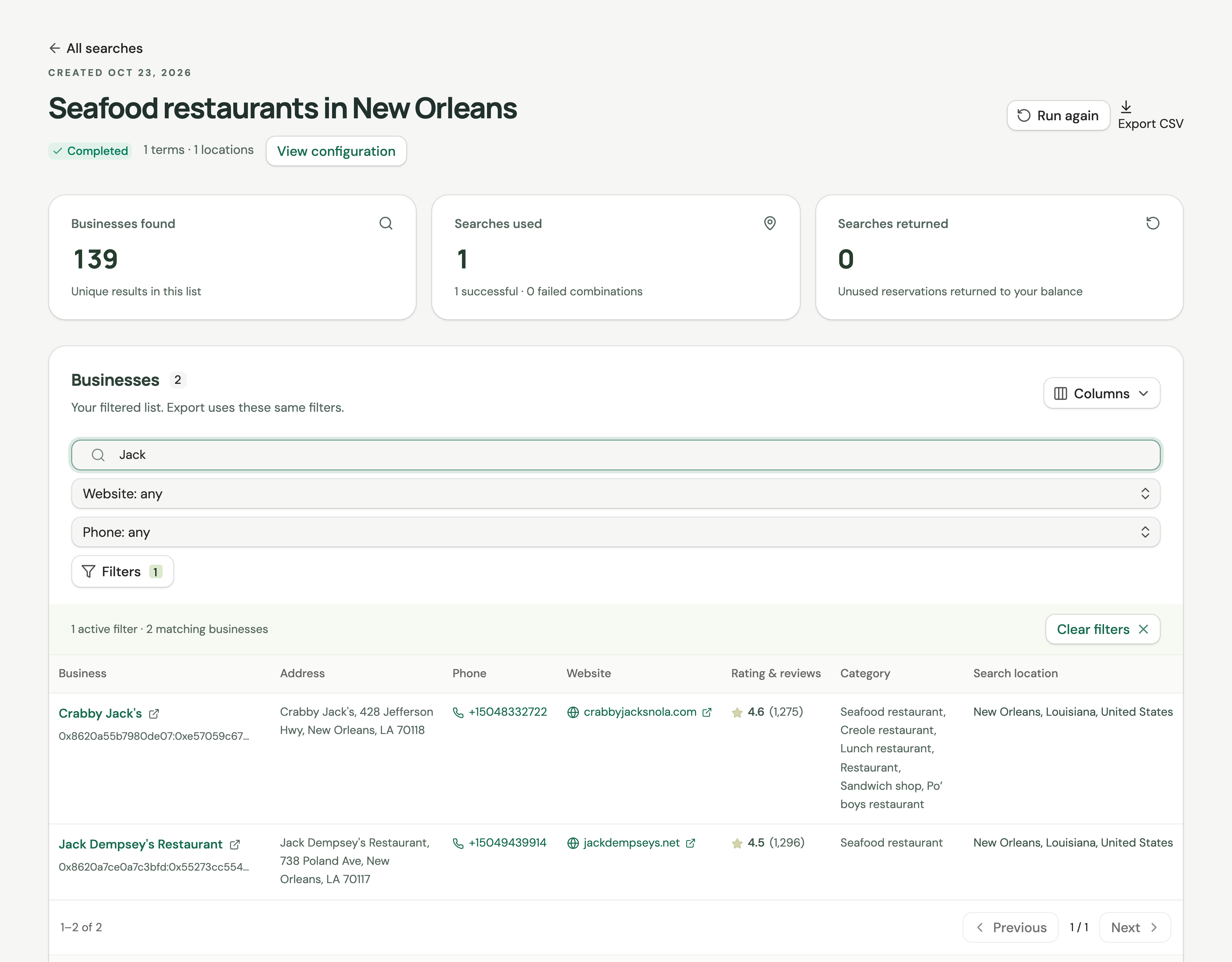
Actual GTME Business Search results with New Orleans seafood businesses and filtered CSV export

Search. Review. Export.

Explore the Business Search tour from choosing businesses and locations to filtering a completed result. The screen uses a dated New Orleans listing example.

See Business Search in action
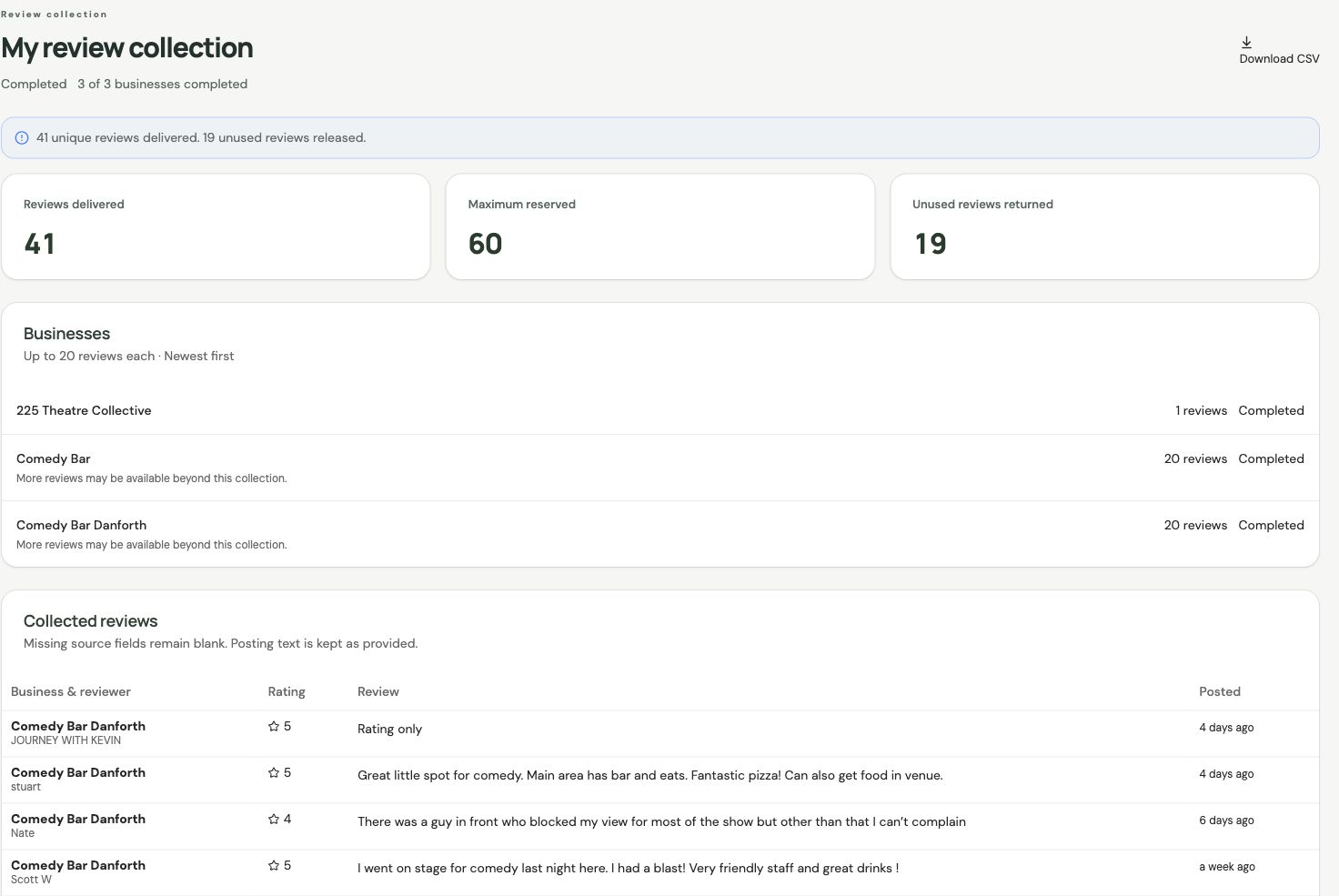
Actual GTME Reviews collection with delivered reviews, owner response fields, and CSV export

Choose places. Collect reviews.

Explore the Reviews tour from importing businesses and setting limits to browsing a saved collection. The example collection is not a promised yield.

See Reviews in action

Your workflow.
Your tools.

Export CSV and bring the data into your own research, spreadsheet, or sales process. Current collections use CSV or scoped API access for your own import workflow. Direct Supabase delivery is retained for supported archived searches on eligible plans.

For scripts and HTTP-capable tools, scoped account keys can run permitted Business Search and Reviews work, inspect progress, and retrieve owned results. The API is another way to use your account; each product retains its own balance and limits.

Other workflows.

Explore how the same collection tools fit different kinds of work.

How the work fits together

What does GTME collect?
Business Search collects matching Google Maps business listings across selected business types and locations. Reviews separately collects available review text, ratings, and owner responses for selected places. The products have separate balances, collection steps, and CSV exports.
Does GTME handle analysis, outreach, or reputation services?
GTME collects and exports data. You decide what the data means, qualify the business, contact prospects, and perform any services using your own expertise and tools. A rating or review alone does not establish buying intent or a need for a particular service.
Can I connect the work to my own tools?
Yes. Use the browser and export CSV, or connect HTTP-capable tools through scoped account API keys for explicitly permitted Business Search and Reviews work. Each product keeps its own balance and limits. Direct Supabase delivery remains limited to supported archived searches on eligible plans.
What can I expect from a trial?
New accounts receive 20 one-time free business searches and can claim 100 free reviews separately, with no card required. A business search can return multiple matching listings or no results; the allowance counts search inputs, not businesses. Reviews use a separate allowance. Results depend on source availability and are not a complete market census.
Inspect a Business Search CSV · Read the dated listing-data study and methodology

Bring your next project.

Start with the businesses you want to understand. Collect the data, then decide where your expertise takes it.